
Flower2U is a popular flower shop with many loyal customers. However, shoppers can't see what's available until they arrive at the store, and that uncertainty leaves them unsatisfied with their shopping experience. Another group of shoppers, business owners who need flowers regularly, often don't have time to visit in person.
UX Case Study · Mobile App
Flower2U Application
Fresh flowers, chosen from a live catalogue and delivered on schedule, for families and business owners who need them regularly.
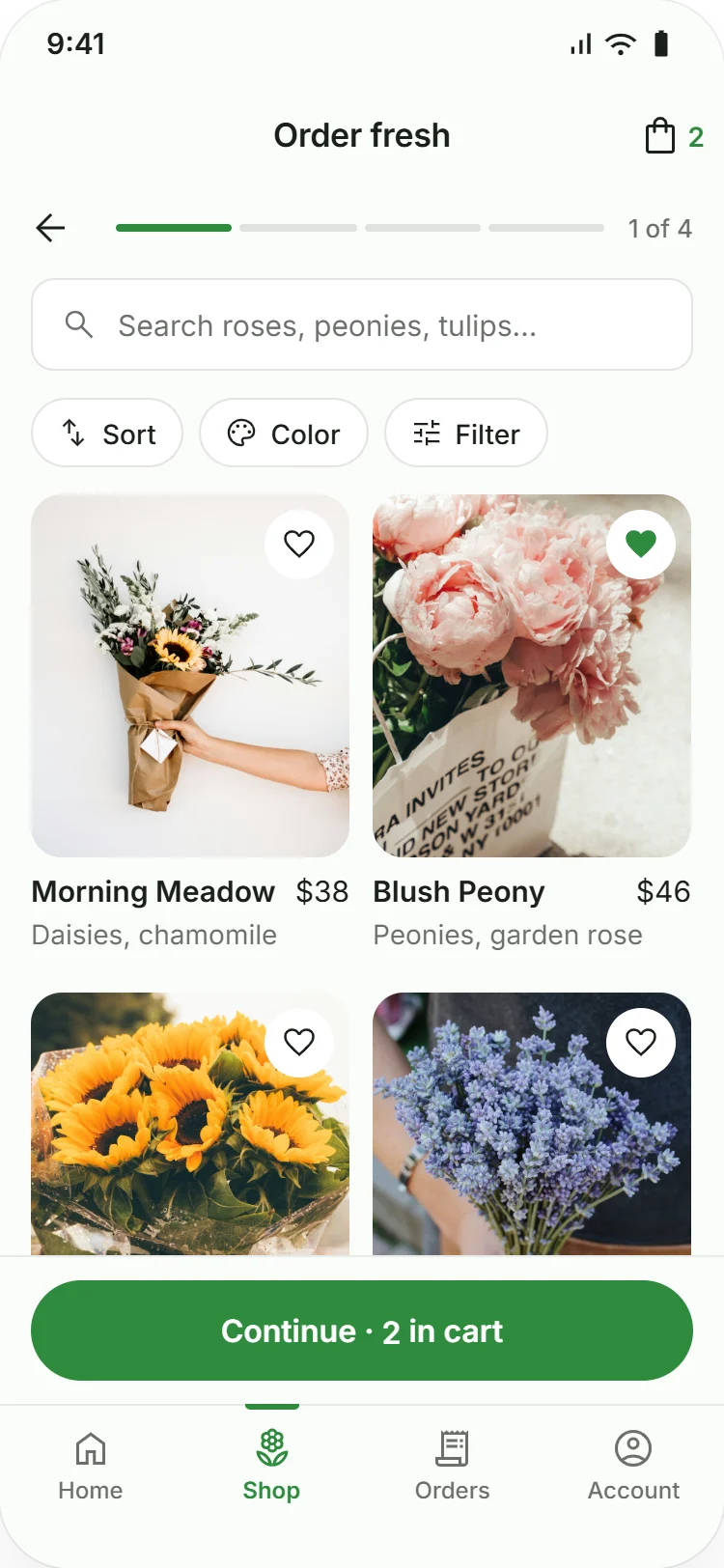
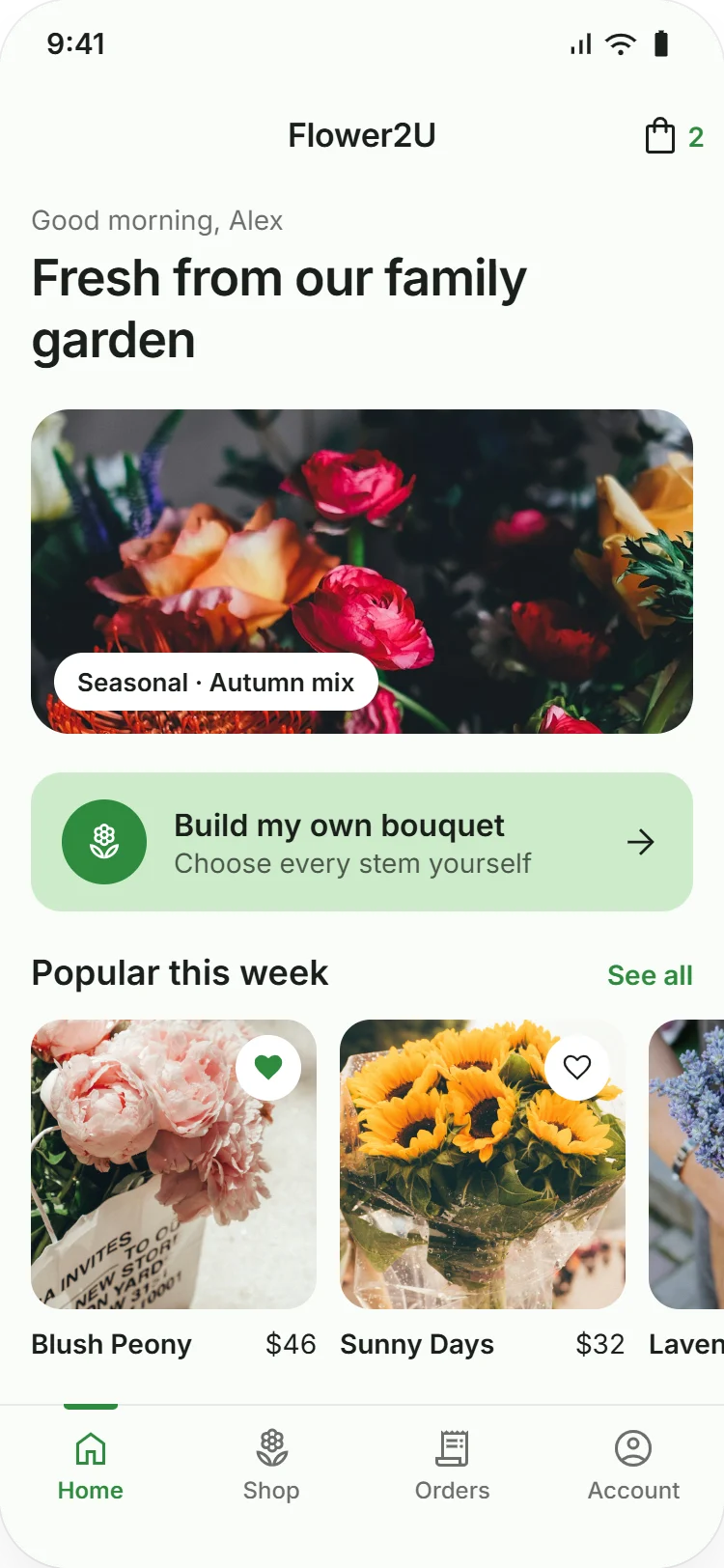
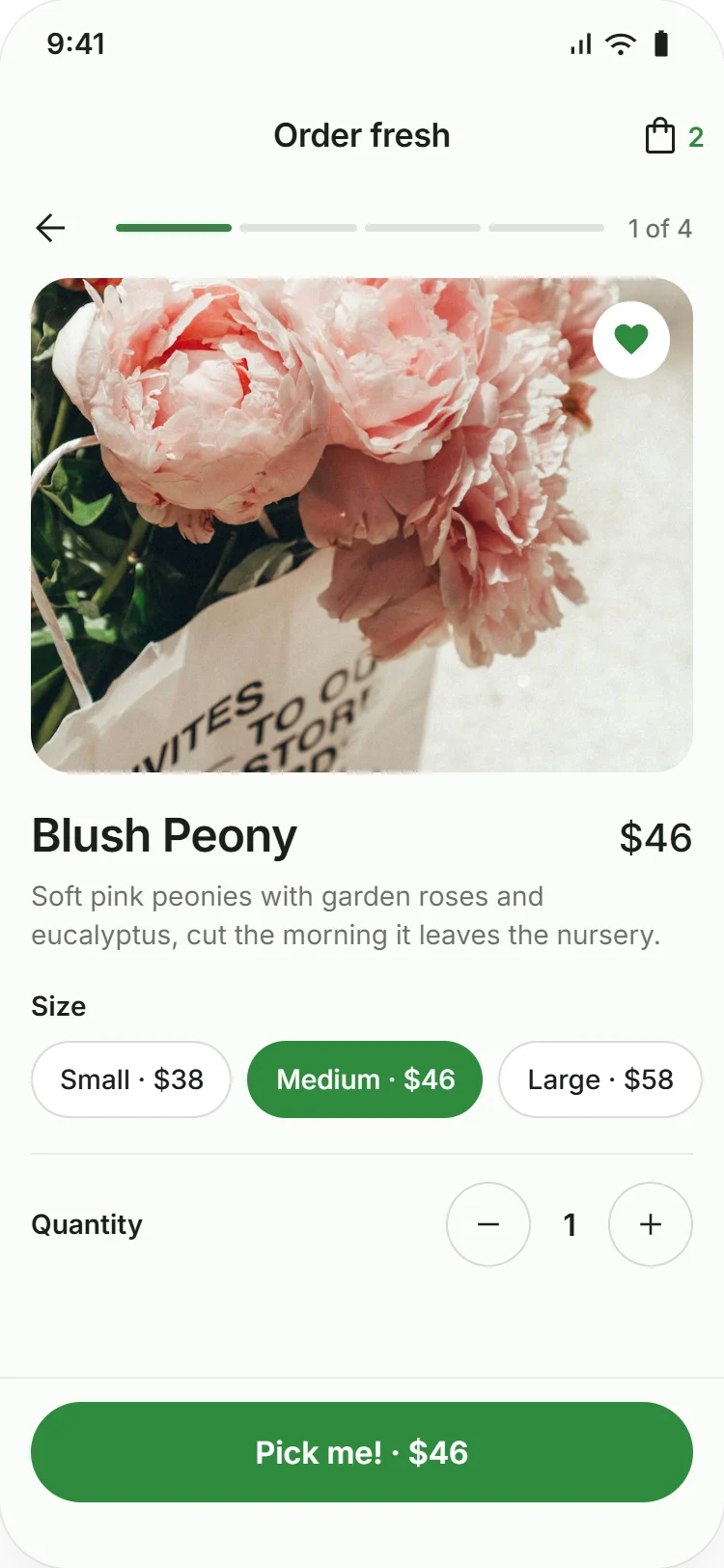
The Flower2U app brings fresh flowers to customers, from families to business owners, who need them regularly and want them delivered. Customers can browse what's in stock, add decorations, and schedule delivery or pick-up without visiting the store.
I conducted interviews and created user journeys to understand who I was designing for, along with their needs and pain points. One primary user group was business owners who need flowers regularly but don't have time to visit the store in person.

Elliot
“I'm a good chef who recently started designing meals and tables with flowers. Food is more delicious with flowers close by.”
- Age
- 44
- Education
- Culinary school graduate
- Hometown
- Omaha, Nebraska
- Family
- Lives with partner
- Occupation
- Chef
Goals
- Better understand floral design and apply it to his work.
- Get access to the flower shop and volunteer there.
- Have access to fresher, and possibly cheaper, flowers.
Frustrations
- Flowers are expensive.
- There's no catalogue to choose from.
Elliot is a chef who wants to grow his career in fine dining. To get there, he plans to build his knowledge of flowers and floral design and use it to decorate and present his food. He's frustrated that flowers are expensive and that he has to visit the store to order them, which is hard to fit in around cooking.
I created a user journey map based on my persona. It shows clearly where the user struggles to get the flowers he wants.
-
Step 1
Decide what he's going to cook
- Think about dishes that pair well with flowers.
- Gather ingredients.
ConfidentGlad
Plan ahead
-
Step 2
Choose flowers that match the food
- Consider the colors and shapes of the flowers.
- Decide on a theme, such as a pattern or color.
- Choose a ribbon or other decorations.
ConfusedHopeful
Choose flowers in the app
-
Step 3
Go to the flower shop
- Pick a time that gives the florist enough notice.
NervousHopeful
Order in advance
-
Step 4
Choose from what's available
- Explain to the florist exactly what he needs.
- Pick flowers based on availability.
Exhausted
See availability ahead of time
-
Step 5
Pick up his order
- Carefully carry a large number of flowers to the car.
ExcitedTired
Have the flowers delivered
While creating the paper wireframes, I made sure to address user feedback and pain points, especially around delivery. I designed a smooth, simple checkout so the app fulfils its main purpose.

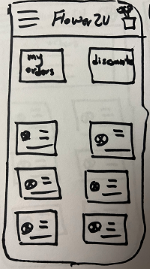
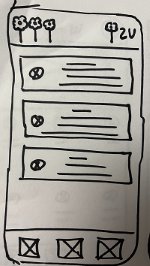
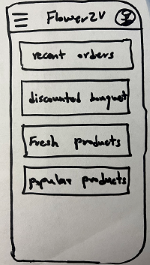
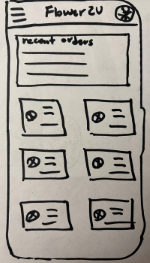
Building on the paper wireframes, I designed the digital wireframes in Figma. I included an entry-level mode, since it addressed one of the main pain points, and added a navigation bar to make browsing even smoother.
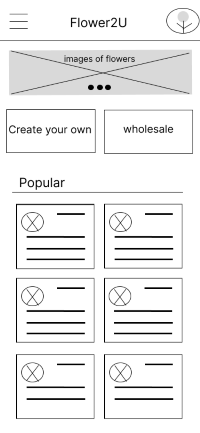
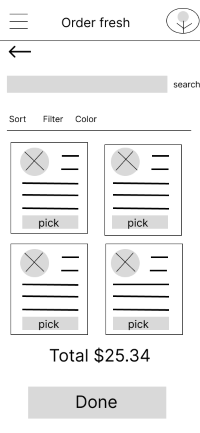
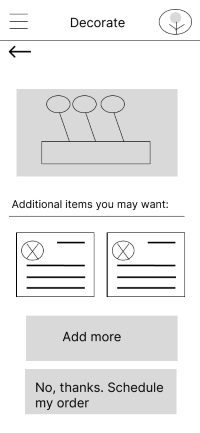
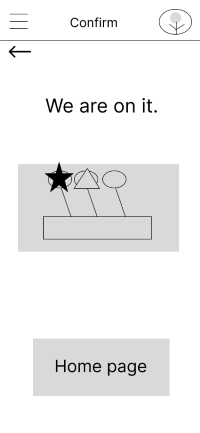
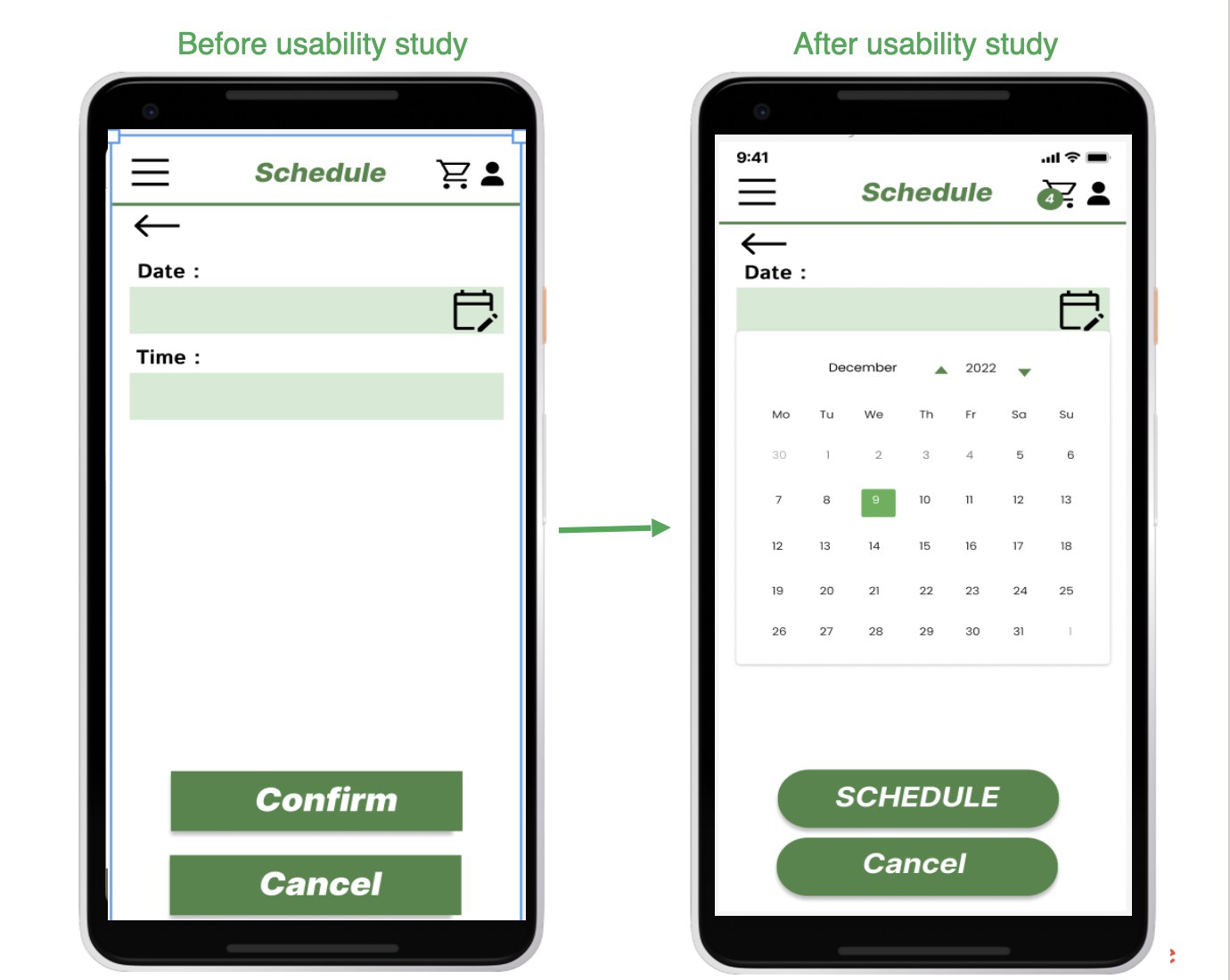
I ran two rounds of usability testing. Findings from the first round shaped the mockups I built from the initial wireframes. The second round used a high-fidelity prototype and revealed areas that needed refining.
Round 1 findings
- Users wanted a simpler home screen with fewer buttons.
- Users needed quick access to their profile.
Round 2 findings
- The scheduling option needed to be more intuitive, with clear icons.
- Users wanted a confirmation page right before placing their order.
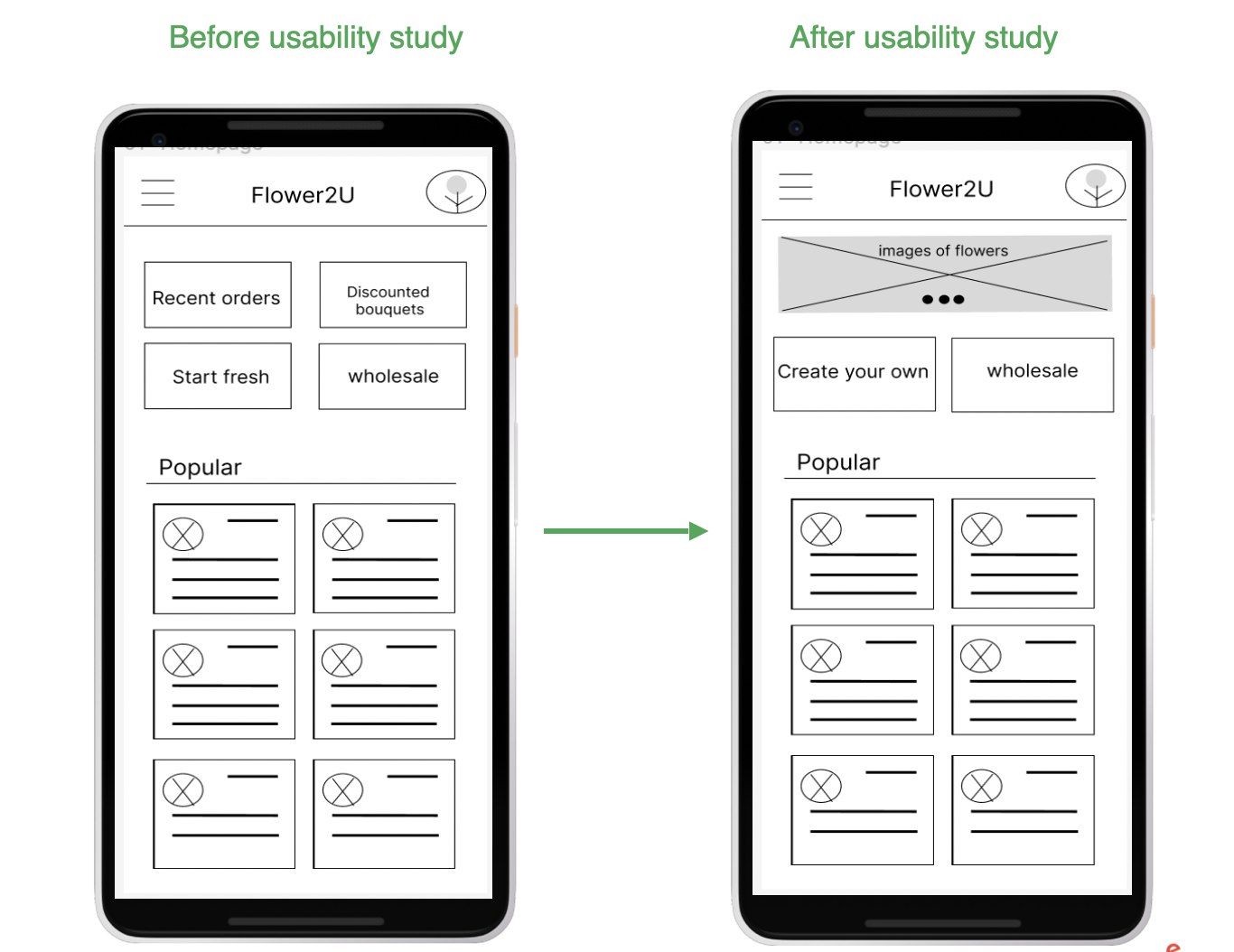
Icons make navigation easier and more intuitive, and images placed next to flower descriptions help users choose their flowers with confidence.
I built a small design system so every screen follows the same rules. It is intentionally minimal: one typeface, a five-color palette, one spacing scale and one button style for each level of action.
Color
I chose green as the brand color because Flower2U is a family-run nursery: green says fresh, growing and cared for, which is what customers want from cut flowers. It also works with the product. Most bouquets are pink, red, yellow or purple, and green sits opposite those colors, so the photos stand out instead of competing with the interface. A soft mint supports the green for selected states and highlights, and an off-white page lets the photography carry the color.
- Brand green#2E8B3EPrimary buttons, links, active states
- Mint#CDEBCBSelected chips, icon wells, highlights
- Off-white#FAFCF9Page background
- Ink#1A1F1AText and icons
- Shade#222622Overlays behind sheets and menus
Ink on off-white reaches about 17:1 contrast and ink on mint about 13:1. White on brand green is 4.3:1, so I use it only for buttons and larger, semibold labels.
Typography
The whole app uses Inter. It stays clear at small sizes on phone screens, its numbers are easy to read in prices and times, and its neutral shapes let the flowers take the lead. Hierarchy comes from size and weight (Regular 400, Medium 500, Semibold 600) instead of extra fonts or colors. Body text never goes below 14 px.
- Flower2U
- A finishing touch
- Popular this week
- Fri 16 Oct · 10:30 am – 12:30 pm
- Peonies, garden rose
- Step 2 of 4
Spacing and components
- Margins
- 16 px on every screen
- Spacing scale
- 4 · 8 · 12 · 16 · 24 · 32
- Corners
- 16–20 px photos and cards, fully rounded buttons and chips
- Tap targets
- 44 px minimum
- Buttons
- 52 px tall, one main action per screen
- Icons
- Material Symbols, outlined, 24 px
The full set of high-fidelity screens, grouped by flow. Tap any screen to view it full size.
Welcome and browse
Build, decorate, schedule
Cart, checkout, after the order
Account and the nursery
Here is a look at the hi-fi prototype. Insights from both rounds of testing shaped the app into its current version. Next, I'll run more in-depth tests to gather further insights and keep improving the app with each iteration.
Try the live prototype
best on a phone